YabaSanshiro 2 Pro
devMiyaxArcade
4.4227.00 Reviews
- Version
- 1.20.37-PRO
- Installs
- 50.00K
- Age Rating
- Everyone
Screenshots
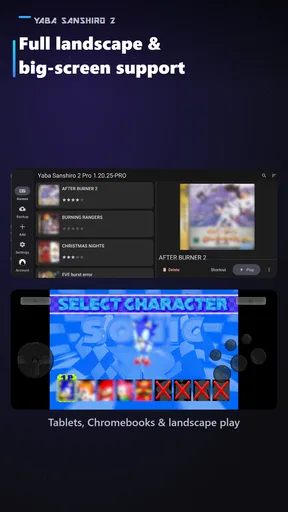
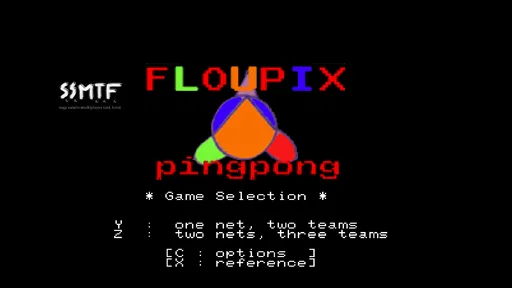
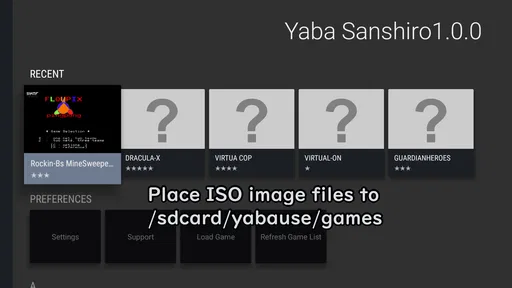
Our Review of YabaSanshiro 2 Pro
 Analysis by Appyee
I can see YabaSanshiro 2 Pro making sense in a shared household when someone wants to revisit Sega Saturn games and others are curious about the console. It is an Android arcade emulator, not a collection of games, so the first practical question is not just who will play but who will prepare the game files and keep them organized. That small bit of planning can decide whether it becomes an easy pick-up-and-play option or a project that only one person in the home knows how to use.
One phone, several players, different expectations
A useful everyday scenario is a quiet evening when one person wants to continue a familiar game and another wants to try it for the first time. A Bluetooth controller can make that handoff more comfortable than passing around a phone and relying on touch controls. For quick turns or short sessions, though, the on-screen controls may be enough; whether they feel suitable depends on the game and the player, so I would test a favorite title before deciding that an external pad is essential.
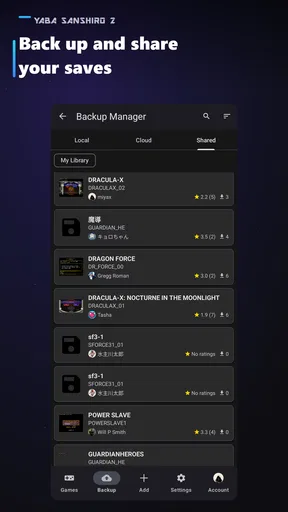
Shared play also makes saved progress worth thinking about. The app’s save-state option can help someone pause at a convenient point rather than needing to reach a normal in-game save, but a state is best treated as a snapshot, not as a household-wide record of who played last. I’d agree on a simple routine—save at a clear stopping point and tell the next person what was changed—especially if several people use the same device.
That routine matters because emulation settings and game progress are separate concerns. One player may prefer visual enhancements while another values the closest possible original presentation. If you are experimenting with graphics or control mapping, try changes in a short session and check that the game still feels right before settling on them. This is more reliable than changing several options at once and then having to work out which adjustment caused an unexpected result.
Setup is a shared responsibility, not a hidden convenience
The first setup can be straightforward for someone already comfortable managing game files, but it is not the same as opening a game that comes bundled with an app. You need to supply your own compatible game files, and the emulator does not remove the need to understand where those files came from or how you are allowed to use them. I would handle that part deliberately rather than leaving a younger or less technical household member to search the web for downloads.
For a shared phone or tablet, decide who is responsible for adding and organizing files before everyone starts using the emulator. Keeping a small, clearly named selection is easier to manage than loading a large unsorted library. It also makes it simpler for another person to choose a game without accidentally opening the wrong file or wondering whether a title is available. This is a practical organization tip, not a special library feature.
There is another trade-off between convenience and familiarity. A person who knows how to find files, adjust settings, and connect a controller can get the emulator ready for everyone else. But if that person is not around, others may not know how to troubleshoot a game that fails to start or controls that feel awkward. I would show another regular user the basic steps once, then leave the settings alone unless there is a clear reason to change them.
Coordination and account boundaries
Because this is a paid Android app, it is worth considering which device and account will be used for the household purchase. The listed price is $4.99, and optional in-app purchases are listed at $0.99 per item. Those costs are separate from the effort of finding and managing game files, so the total commitment is not just the app purchase. I’d check the purchase and account arrangements on the device before promising that everyone can use it.
For people sharing one device, a simple agreement can prevent avoidable friction: decide who can change emulator settings, where game files should stay, and whether players should use save states or the game’s own save system. The app is not a household organizer, and I would not treat it as one. A little coordination outside the app is more useful than expecting it to keep track of different people’s preferences or progress automatically.
If each person has a separate device, consider the setup work as well as the purchase. Each device may need its own practical arrangement for the app, controller pairing, and access to the game files. That makes the emulator less convenient for a family expecting a single shared library to appear everywhere without effort. It is a better fit when one person is happy to be the informal tech helper, or when the group is comfortable handling setup together.
Age suitability and trust at home
The game’s content rating is Everyone, which makes its stated age context broad, but that should not be confused with an assurance about every game someone chooses to run. The emulator itself is a tool; the content comes from the games you provide. For a child using a shared device, I would choose the game files with the same care I use for any other media and explain that the app does not supply a ready-made set of titles.
That distinction is especially helpful for parents who see a familiar console name and assume the experience is automatically suitable for every age. The rating belongs to the app, while the individual games can have their own content and tone. An adult can prepare a small selection in advance, then let a child choose from that selection rather than handing over responsibility for searching for files online.
Trust also includes device access. If the phone is shared, decide whether other users may alter graphics, frame-rate, or control settings. Those options are useful for tailoring play, but a changed mapping can make the next person think the game itself is broken. Keeping the setup stable for casual players, and letting a more experienced user experiment when needed, is a sensible compromise.
Getting Started with YabaSanshiro 2 Pro
First things first, installing YabaSanshiro 2 Pro is a breeze. You just find it on the Google Play Store or the App Store, hit download, and you're good to go. The app is designed to run smoothly on most devices, but make sure your smartphone packs a decent punch to handle the emulation without any hiccups.
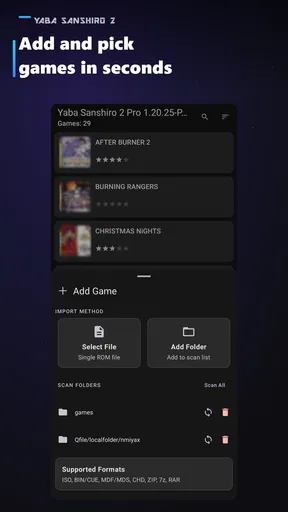
Once you fire it up, the app greets you with a simple and intuitive interface. No clutter, nothing too fancy—just what you need to get started. The setup process involves loading your game ROMs, and if you're a bit tech-savvy, you’ll have it all sorted in no time. But even if you’re not, there are plenty of guides out there to help you out.
Features That Stand Out
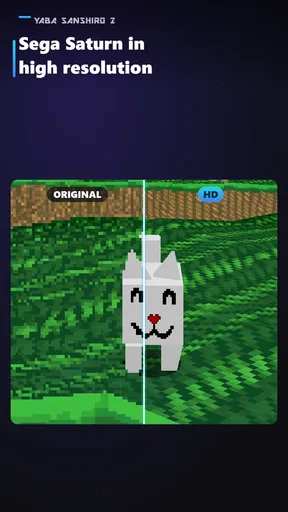
The app's feature list is impressive. One of the standout features is its ability to enhance the original game's graphics. You can tweak settings to upscale the resolution, making those old-school games look surprisingly crisp on modern displays. It’s like giving your favorite games a fresh coat of paint.
Another feature that will catch your attention is the support for external controllers. If you’re like me and can’t stand on-screen controls for some games, you’ll appreciate this. Connect a Bluetooth controller, and it feels just like playing on the original console—only now it's portable.
Also worth mentioning is the app’s stability. It’s not uncommon for emulators to crash or have bugs, but YabaSanshiro 2 Pro holds up well. It’s regularly updated, showing the developers’ commitment to improving the app and fixing any issues that arise.
Making the Most of Your Gaming Experience
To get the best out of YabaSanshiro 2 Pro, you’ll want to fiddle with the settings. There’s a bunch of options to enhance performance, adjust graphics, and even save your game states. Saving states is a lifesaver—no more losing progress after a long gaming session!
For the tech enthusiasts, there’s plenty to explore. You can customize shaders, adjust frame rates, and even map controls to your liking. It’s all about making the experience as personal and enjoyable as possible.
How it compares with other ways to play
Compared with a typical arcade game on a phone, this is a different kind of commitment. An arcade title usually gives you an immediate game loop with little preparation; a Saturn emulator asks you to bring the games, understand the setup, and sometimes tune performance. In return, it is aimed at recreating a specific console experience rather than offering a quick, self-contained mobile game. If you want something that starts instantly with no file management, an ordinary arcade game is the easier choice.
It also differs from playing on original Saturn hardware. A phone is portable and can use modern displays and Bluetooth controllers, while the original console offers the direct, familiar hardware experience without emulation settings to adjust. Neither option is automatically better: I’d choose the phone for convenience and experimentation, and original hardware for someone who values the console itself and wants fewer emulation variables.
Among emulators, the key appeal here is its focus on Sega Saturn rather than a broad catalogue of unrelated systems. That focus is useful if Saturn is exactly what you want to revisit. It is less compelling if you are looking for one app to cover many consoles or if you do not already have a reason to seek out Saturn games. Before paying, I’d be clear about that distinction: this is a specialist tool, not a general retro-gaming library.
Where the friction shows up
Emulation is not identical to running a game on its original console. Performance can depend on the phone and on the particular game, so I would not assume that every title will behave equally well just because one favorite works smoothly. If a game feels wrong, first check whether the problem is limited to that title and avoid changing multiple graphics and performance options together. A controlled adjustment makes it easier to return to a stable setup.
There is also a learning curve hidden behind the clean first impression. Loading files, choosing controls, and deciding whether to use enhanced graphics are small tasks individually, but they can make the first session less immediate than a conventional mobile game. Someone who wants to play for five minutes during a commute may be happier with a game already designed for touch controls. A Saturn fan willing to spend a little time on setup is more likely to appreciate the extra flexibility.
Visual enhancement is a matter of taste, not an automatic upgrade. A sharper image can suit a modern screen, but changing how an older game is presented may not be what a nostalgia-minded player wants. I’d start with the standard presentation, then compare an enhancement on a game you know well. That gives you a useful reference and avoids mistaking a different look for a better one.
Who will get the most from it?
I’d recommend it to someone who specifically wants to play Sega Saturn games on Android, is comfortable supplying game files, and likes having control over graphics and input. It can also suit a household with one technically confident person who is willing to set up a shared device and explain the basics to everyone else. Its appeal is strongest when the Saturn library itself is the reason you are installing an emulator.
I’d suggest skipping it if you expect a library of included games, do not want to manage files, or mainly want quick casual play with no configuration. It is also not the best match for someone who expects every game to feel identical to original hardware without any adjustments. In those cases, a straightforward arcade game—or a real Saturn setup for an enthusiast who already owns the console and games—may fit better.
For a realistic first session, I would choose one game you already know, test it with the default settings, and play long enough to check the controls and performance before changing anything. If touch controls are uncomfortable, pair a Bluetooth controller and try again. Save a state when you stop, then make one graphics adjustment at a time if you want to experiment. This workflow keeps troubleshooting manageable and gives you a fair sense of whether the app suits your device and habits.
Is YabaSanshiro 2 Pro Worth It?
So, is it worth your time and money? Absolutely. For anyone with a soft spot for Sega Saturn games, this app is a no-brainer. It’s not just about nostalgia; it’s about experiencing those classic games with better graphics and smoother gameplay.
If you’re worried about legality, remember to use your own game ROMs. The app doesn’t come with any games, so you’ll need to source those yourself. As long as you follow the rules, you’re set for an awesome trip down memory lane.
All in all, YabaSanshiro 2 Pro is an emulator that delivers on its promises. It’s user-friendly, packed with features, and a joy to use. Whether you’re a die-hard retro gamer or just curious about the Sega Saturn library, this app will not disappoint.
Ready to give it a go? Head over to the download links and start your retro gaming adventure today. Trust me, you won’t regret it.
Verdict
Strengths of YabaSanshiro 2 Pro
- Excellent graphics rendering quality.
- Supports a wide range of ROMs.
- Smooth performance with minimal lag.
- Customizable controls for better gameplay.
- Frequent updates and improvements.
Limitations of YabaSanshiro 2 Pro
- Some games may not boot properly.
- Limited support for save states.
- Requires a powerful device for best performance.
- Occasional audio glitches in certain games.
- Not all features are user-friendly.
Similar Picks in This Category
View All
Subway Surfers
SYBO Games4.6

Stickman Party 234 MiniGames
PlayMax Game Studio4.6

Subway Princess Runner
Ivy4.4

Temple Run
Imangi Studios4.2

Zombie Tsunami
Mobigame SAS4.6

Stack Ball - Crash Platforms
CASUAL AZUR GAMES4.5
Frequently Asked Questions
What platforms does YabaSanshiro 2 Pro support?
YabaSanshiro 2 Pro is available for both Android and iOS devices. It is designed to run on modern smartphones and tablets, ensuring a smooth emulation experience. Before downloading, ensure your device meets the minimum system requirements for optimal performance.
Can I use YabaSanshiro 2 Pro to play all Sega Saturn games?
YabaSanshiro 2 Pro supports a wide range of Sega Saturn games, but not all titles are guaranteed to work flawlessly. Compatibility can vary based on the game and your device's specifications. It's recommended to check online forums or the app's community for specific game compatibility.
Does YabaSanshiro 2 Pro require any additional files or setup?
Yes, YabaSanshiro 2 Pro requires additional BIOS files to function properly. These files are not included with the app due to legal reasons, so users must source them independently. Additionally, users will need to provide their own game ROMs, which should be legally obtained.
Is YabaSanshiro 2 Pro a free application?
YabaSanshiro 2 Pro is a paid application, offering a premium emulation experience without ads. The fee supports ongoing development and updates. There might be a free version with limited features, but the Pro version provides a more robust and ad-free experience for users.
How can I optimize performance in YabaSanshiro 2 Pro?
To optimize performance in YabaSanshiro 2 Pro, ensure your device is running the latest operating system and has sufficient RAM and processing power. Adjusting the graphics settings within the app can also improve performance. Closing background apps can further enhance gameplay smoothness.
Play our best games!


